Once the example service and example application are built, the next step is to test them using Coverage Validator.
Installing the service
If you haven't installed the service, do the following:
•open an administrator mode cmd prompt
•navigate to the directory containing the serviceWithAProcess.exe to install
•serviceWithAProcess.exe -install
Monitoring the application launched by the service
Prerequisites
•example service has been installed, but not started (if service has been started, stop the service)
•example service and example application have been built (application must use the NT Service API as demonstrated in attachToCoverageValidator())
•example application executable is in the same directory as the example service (this is only a requirement for the example)
The following process is used to monitor the application launched by the service:
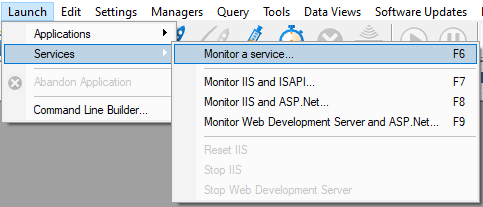
•From the Launch menu choose Services > Monitor a Service...
•The Monitor a service dialog is displayed
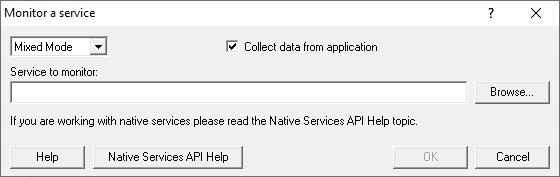
•Use Browse... to open the file chooser dialog and choose the application that will be monitored by Coverage Validator. This is the application that is launched by the service. Do not choose the service
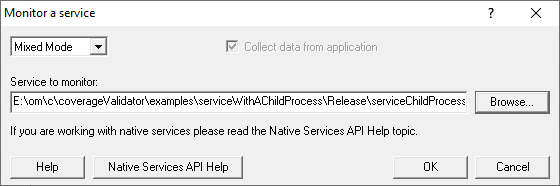
•Click OK
•Coverage Validator sets up a variety of parameters then displays a dialog box asking you to start you service. Click OK to dismiss the dialog
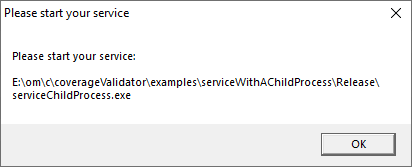
•Start your service. For the example serviceWithAChildProcess.exe do the following
oopen an administrator mode cmd prompt
onavigate to the directory containing the serviceWithAProcess.exe to start
oserviceWithAProcess.exe -start
oserviceWithAProcess.exe starts and launches the child process serviceChildProcess.exe that will be monitored
•The target application contacts Coverage Validator
•Data is collected until the target process finishes executing
•Coverage Validator displays the results