The Attach to process dialog allows you to choose a user process, system process or service to attach to.
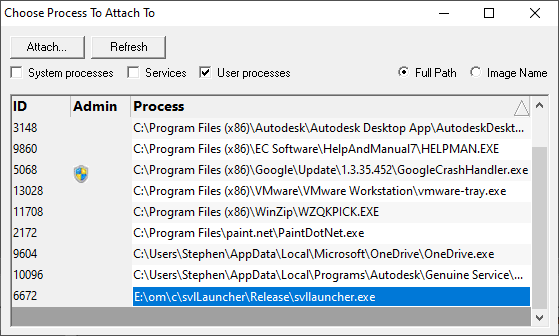
•System processes / Services / User processes  show either of system or services or user processes in the list, or both
•Full path shows the full path to the process executable in the list
•Image Name shows the short program name without path
•Refresh update the list with currently running processes
•Attach attach to the selected process and start collecting debug events
Clicking on the headers of the list will sort them by ID or by name using the full name or short name, depending on what's displayed.