The Wait for process dialog allows you to specify a process that when it starts, Exception Tracer will attach to and start collecting debug events.
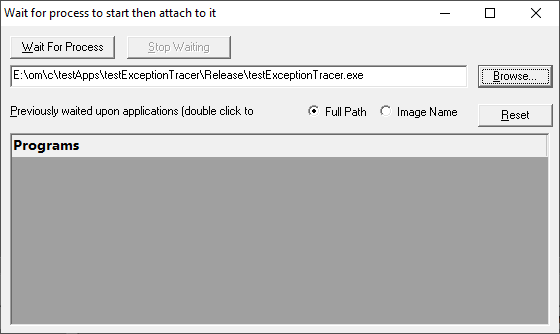
•Application to wait for  type or Browse to set the application name to launch
•Full path shows the full path to the process executable in the list
•Image Name shows the short program name without path
•Reset clears the list
•Wait for Process start waiting for the process to start. When the process starts Exception Tracer will attach to it and start collecting debug events.
•Stop Waiting stops waiting for the process to start