The Symbol Paths tab allows you to specify which directories VM Validator should look in for source PDB files.
The default settings are shown below:
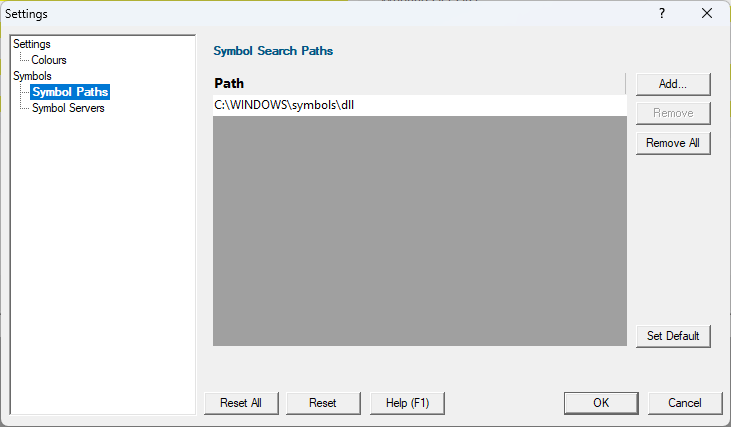
File locations
Sometimes the information VM Validator has access to consists of the file name, but not the directory.
When this happens VM Validator scans a set of directories that it knows about in order to find the file.
The options below allow you to specify those directories that should be searched for PDB files.
If a file can't be found, you'll get prompted for its location, but you can control this below as well.
Manually adding path type directories
Once you have chosen your path type you can modify the list of files for each path type in the following ways:
•Add  appends a row to the directory list enter the directory path
Edit a directory path by double clicking the entry. The usual controls apply for removing list items:
•Remove removes selected items from the list
•Remove all clears the list
Alternatively, press  to delete selected items, and
  +
+  to select all items in the list first.
Reset All - Resets all global settings, not just those on the current page.
Currently, the four checkbox items at the bottom of this page are not reset as part of the global settings.
Reset - Resets the settings on the current page.
