When launching an application, you might want to pass in some environment variables to your program.
The Environment Variables dialog lets you manage name/value pairs, including importing and exporting for use between programs or sessions.
The Environment Variables dialog
The dialog initially has no entries.
The example below shows the equivalent of set QT_PLUGIN_PATH=%QTDIR%\plugins
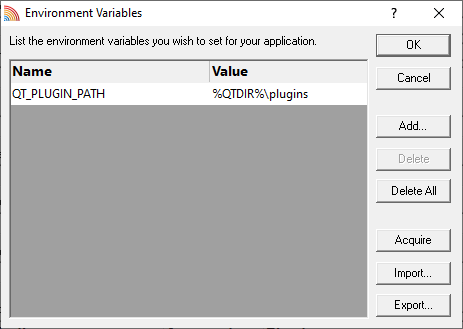
•Add...  adds a new item to the list enter name in the first column, value in the second
•Delete deletes a selected item in the list
•Delete All clears the list
•Acquire fetches all system environment variables, adding them to the list
•Import... loads variables from a previously exported file, adding them to the list
•Export... saves all entries in the list to a file of your choice
The exported file is a simple ascii file with one entry per line of the form name=value
•OK accepts all changes
•Cancel ignores changes